
We’ve all been there. That heart-stopping moment when your phone slips. You pick it up, and there it is—a spiderweb of cracks. Now comes the big question. Should you fix the screen or just buy a new phone?
It’s a tough choice. Repairing can save money, but a new phone is tempting. Let’s break down the facts so you can decide what’s best for your wallet.
Key Takeaways
- Huge Savings: Repairing a cracked screen costs 70–85% less than buying a new phone.
- Worth It: Phones under 4 years old are almost always worth repairing.
- Tech Matters: OLED screens (iPhone/Samsung) cost more to replace than LCD screens.
- Safety First: Ignoring cracks leads to water damage and touchscreen failure.
- Speedy Fix: Professional repair typically takes under 30 minutes.
What Is a Phone Digitizer?
Before we dive in, let’s define a key part of your phone. The digitizer is the layer under the glass that detects your touch input. If the digitizer is damaged, your phone may stop responding. It might also start registering “ghost touches” where apps open on their own.
Signs Your Phone Screen Needs Professional Repair
Sometimes a crack is just a cosmetic issue. At other times, it’s a sign of a failing device. Screen damage accounts for nearly 50% of smartphone repairs worldwide. Watch out for these red flags:
Minor cracks that still respond
Even if the touch works, small cracks spread. Moisture and dust can get inside. This eventually destroys the internal hardware.
Dead pixels or black spots
If you see ink-like spots or colored lines, your LCD is damaged. This won’t go away. It only gets worse over time.
Touchscreen not responding
Does your phone have a mind of its own? Or does it ignore your taps? This means the digitizer is failing. You need a professional fix.
Glass separating from the display
If the glass is lifting off the frame, stop using it. This is often caused by a swollen battery or a bad previous repair. It’s a safety hazard.
Quick Screen Damage Diagnosis
Ask yourself these three questions to see if you need a pro:
- Are there black spots or “ink bleeds” on the display?
- Is the touch response delayed or missing in some areas?
- Does the screen flicker or show vertical green lines?
If you answered yes to any of these, your phone likely needs a full-screen replacement, not just a glass repair. If your touchscreen stops responding entirely, read our guide on [Why Your Phone Screen Isn’t Responding] for deeper troubleshooting.
Common Mistakes People Make With Cracked Screens
- Ignoring small cracks: Small fractures spread quickly. They can damage the expensive display panel underneath.
- Using cheap repair shops: Low-quality screens often have poor brightness. Your touch sensitivity will also suffer.
- Attempting risky DIY repairs: Modern smartphones have delicate cables. These easily break during DIY attempts.
Hidden Risks of Using a Cracked Screen
Many people ignore a small crack. But a broken screen is a ticking time bomb for your device and your health.
- Glass cuts fingers: Tiny glass shards can splinter into your skin while scrolling.
- Water damage risk: The screen is the seal of your phone. Even a tiny crack lets humidity reach the motherboard.
- Touchscreen malfunction: Cracks put pressure on the digitizer. Eventually, your phone might stop responding entirely during an emergency.
DIY Fix vs. Professional Screen Repair
The internet is full of “quick fixes,” but are they safe?
- Temporary fixes people try: Some use clear tape or even toothpaste. These might stop a cut finger, but they don’t fix the display.
- Risks of DIY screen repair: Modern phones are glued tightly. One wrong move with a screwdriver can kill your FaceID or battery.
- Why professional repair is safer: Pros have the right heat guns and suction tools. You get a clean finish without breaking the motherboard.
Which Phones Are Worth Repairing?
Not every phone deserves a new screen. Use this quick guide to decide:
| Phone Age | Recommendation |
| 0-2 Years | Definitely repair. The device still has high resale value. |
| 3-4 Years | Depends on cost. If the repair is under $150, go for it. |
| 5+ Years | Consider replacement. The battery and software are likely outdated. |
The Real Math: Repair Cost vs. Buying a New Phone
Let’s look at the numbers. Is it cheaper to fix or replace? Usually, a repair costs a fraction of a new device.
| Device Type | Screen Repair Cost | New Phone Cost |
| iPhone | $80 – $200 | $800 – $1,200 |
| Samsung | $100 – $250 | $700 – $1,100 |
Average Screen Repair Cost by Phone Model
| Phone Model | Average Repair Cost |
| iPhone 13 | $180 – $250 |
| iPhone 14/15 | $220 – $300 |
| Samsung Galaxy S23 | $200 – $320 |
| Google Pixel 7/8 | $150 – $220 |
Why repair is a better value: Spending $150 to make an $800 phone look new is smart. You save hundreds of dollars. Plus, you keep all your data and settings exactly where they are.
Repairing Your Phone Helps Reduce Electronic Waste
Did you know repairing is also a “green” choice? According to the Global E-Waste Monitor, the world produced over 62 million tons of electronic waste recently.
Repairing your phone reduces waste. It extends the life of valuable materials like lithium and copper. Even a simple screen fix keeps a device out of the trash for several more years.
LCD vs. OLED Screens – Why Repair Costs Differ
Have you noticed some screen repairs are much pricier? It usually depends on the technology used in your display.
| Screen Type | Quality | Repair Cost |
| LCD | Good (standard) | Lower |
| OLED | Excellent (vibrant) | Higher |
iPhones and high-end Samsung models often use OLED for better colors. These screens are thinner and more expensive to manufacture. Budget phones often use LCD, which is cheaper to replace but less vibrant.
How Screen Repairs Work (Behind the Scenes)
Ever wonder what happens to your phone in the back room? It’s a delicate process:
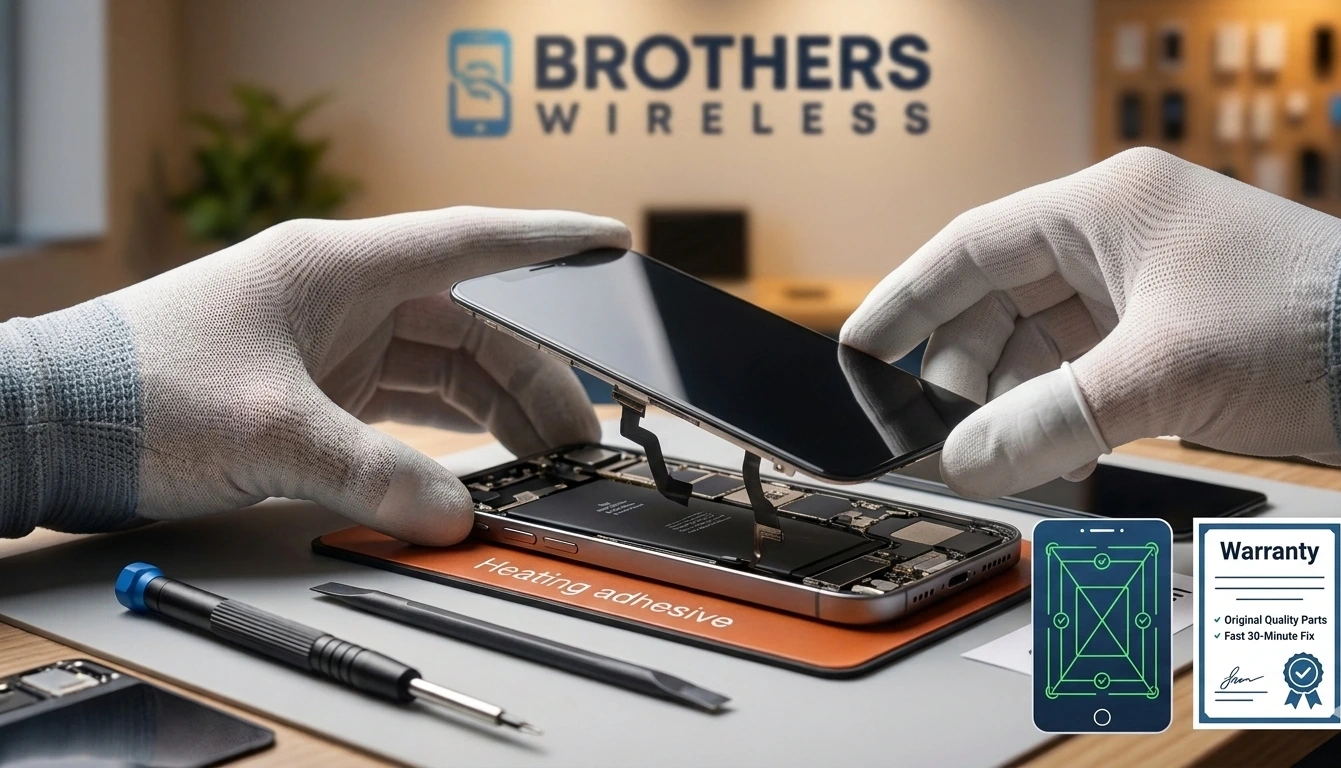
- Heating Adhesive: We use specialized heat pads to soften the industrial glue.
- Separating Screen: Using ultra-thin opening tools, we lift the shattered glass safely.
- Cleaning: We remove every tiny shard of glass and old glue from the frame.
- Installing New Display: We transfer sensors (like FaceID) to the new high-quality screen and seal it shut.
Will My Data Be Safe During Screen Repair?
Privacy is a top concern for many users. Professional technicians usually do not need to access your personal photos or messages for a screen fix.
However, it is always smart to stay prepared:
- Back up your phone: Use iCloud or Google Drive.
- Log out: Sign out of sensitive banking or work apps.
- Remove SIM cards: Keep your service and storage cards with you.
Why Cheap Replacement Parts Can Damage Your Phone
Not all screens are created equal. If a price seems too good to be true, it probably is. Cheap parts lead to:
- Screen brightness issues: Colors look washed out or dim.
- Touch sensitivity problems: Your typing becomes laggy or inaccurate.
- Battery drain: Low-quality backlights suck more power from your battery.
When Replacing the Phone Makes More Sense
Being honest builds trust. Sometimes, a repair isn’t the best choice. Consider a new phone if:
- The motherboard is severely damaged.
- The battery is swollen and has damaged the frame.
- The repair cost is more than 50% of the phone’s current market value.
- The device is older than 5 years and no longer gets security updates.
Benefits of Professional Screen Repair
When you choose a reputable shop, you get more than just glass.
- Original quality parts: Your phone feels and looks like it did on day one.
- Warranty: Good shops stand by their work. If the touch fails, they fix it for free.
- Fast repair: You don’t have to ship your phone away for weeks.
Fast Screen Repair in Columbus, Ohio
Searching for iPhone screen repair near me? You don’t have to go far. We provide expert service right here in Columbus, Ohio.
Our team is conveniently located to serve you. Whether you are shopping at Walmart or driving through the city, we are nearby. We specialize in iPhone, Samsung, and tablet screens.
How Long Does Screen Repair Take?
Most people think they’ll be without a phone for days. At our shop, most screen repairs take under 30 minutes. You can drop it off, grab a snack, and pick it up good as new.
Tips to Prevent Screen Damage
- Use a Tempered Glass Protector: It’s a $15 investment that saves you $150.
- Get a Case with “Lips”: Ensure the edges rise above the screen level.
- Avoid Back Pockets: Sitting on your phone causes “frame flex,” which cracks glass.
FAQ
Is it worth fixing a cracked phone screen?
Yes. If the phone is less than 3–4 years old, a repair is much cheaper than a new monthly installment plan.
How long does iPhone screen repair take?
Professional shops usually finish the job in 20 to 45 minutes.
Can a cracked screen get worse?
Absolutely. Changes in temperature and pressure from your fingers make cracks grow daily.
Can a cracked phone screen cause internal damage?
Yes. Cracks allow dust and moisture to enter, which can corrode the motherboard over time.
Can you repair just the glass without replacing the screen?
Sometimes. If the display works perfectly, we may replace only the glass. However, many modern phones require a full assembly replacement for the best quality.
Is it safe to keep using a cracked phone?
It is risky. Glass shards can cut your skin, and even a tiny drop of rain can seep into the cracks and damage the phone.
Ready to see clearly again? Don’t let a broken display ruin your day. Get a quick quote for iPhone screen repair near you at Brothers Wireless and get back to scrolling!